Quick Answer: How to Log In & Pause Time on Local Branded Piso WiFi Portals
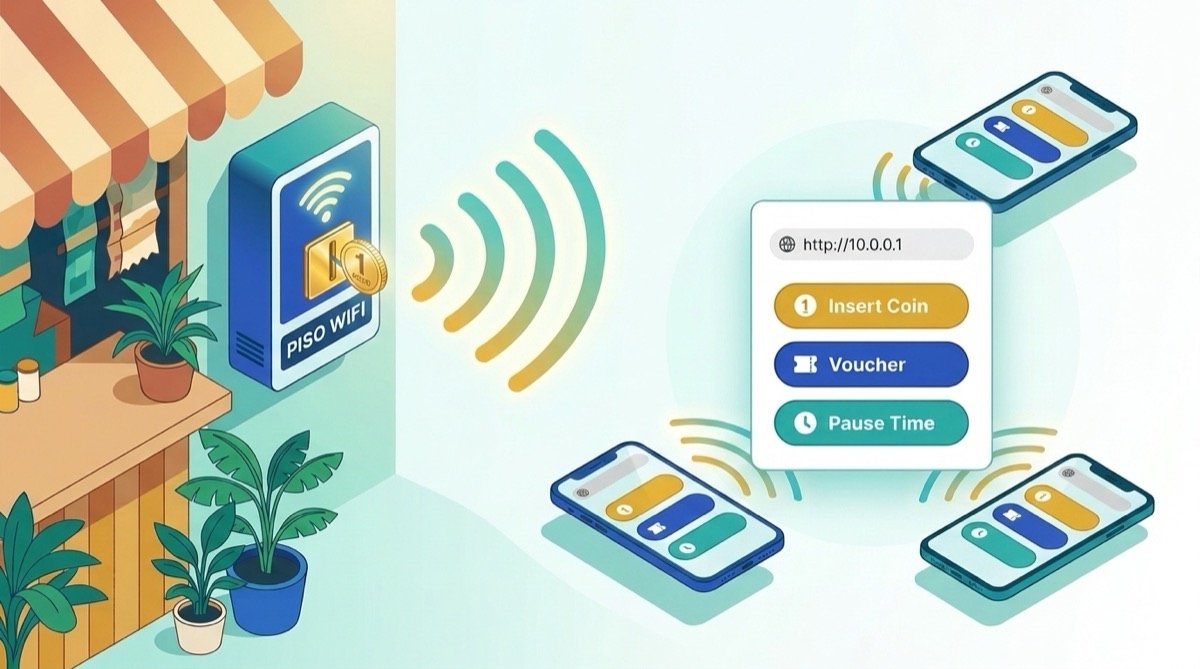
Neighborhood hotspots named after local stores or owners—such as Tisay Piso WiFi, Noemax Piso WiFi, Ajibul Piso WiFi, Nilda Piso WiFi, Tonton Piso WiFi, Yusop, Condes, Llagas, and EZ WiFi Vendo—do not have separate public websites. Simply connect to that Wi-Fi SSID, turn off Mobile Data, and open http://10.0.0.1 (or http://10.10.10.1) in Chrome to insert coins or pause your time.
Across barangays in Luzon, Visayas, and Mindanao, almost every sari-sari store owner customizes their vendo’s Wi-Fi name (SSID) with their family name, shop name, or local brand. When users Google names like “noemax piso wifi”, “tisay piso wifi pause time”, “ajibul piso wifi”, “nilda piso wifi”, or “10.0.0.1 ez wifi vendo pause”, they are usually looking for the login and pause-time screen—which only lives locally inside that machine at 10.0.0.1.
Quick Portal Lookup for Store-Branded Piso WiFi / Peso WiFi Hotspots
| Local Hotspot / Brand Name | Underlying Firmware | Working Login & Pause URL |
|---|---|---|
| Tisay, Noemax, Ajibul, Nilda Piso WiFi | LPB / AdoPiSoft / JuanFi custom SSID | http://10.0.0.1 (fallback: http://10.10.10.1) |
| Tonton, Yusop, Condes, Llagas Piso WiFi | Standard LPB / Ado / MikroTik vendo | http://10.0.0.1 (fallback: http://20.0.0.1) |
| EZ WiFi Vendo | EZ WiFi / MikroTik / Orange Pi portal | http://10.0.0.1 or portal auto-redirect |
| Peso WiFi (any local spelling) | Same Philippines coin-vendo hotspots | http://10.0.0.1 |
Do Local Piso WiFi Hotspots Need a Wi-Fi Password?
This is another common question from people searching “10.0.0.1 pause time piso wifi password.” Regular Piso WiFi / Peso WiFi customer SSIDs are open networks and do NOT require a Wi-Fi password to connect. Instead, internet access stays blocked until you open http://10.0.0.1 and either drop a coin or enter a purchased voucher code. Only the owner’s backend dashboard (10.0.0.1/admin) or private family Wi-Fi uses a password.
How to Pause Time on Any Local Barangay Piso WiFi Machine
- Stay within Wi-Fi range of the exact store box where you dropped your coin (you cannot pause time on Tisay Piso WiFi after walking home to another street’s box).
- Keep Mobile Data OFF and Device MAC ON: In Android Wi-Fi details choose Use Phone/Device MAC; on iPhone disable Private Wi-Fi Address.
- Open
http://10.0.0.1in Chrome or Safari: If the store uses a custom gateway, check your phone’s Wi-Fi Router / Gateway IP in settings and openhttp://[that-IP]. - Tap Pause Time: Wait until the portal confirms your remaining minutes are paused before disconnecting.
Frequently Asked Questions
Why can’t I find a website for Tisay, Noemax, Ajibul, or Nilda Piso WiFi on Google?
Because each one is a local sari-sari store or barangay vendo box—not an online website. Its portal only loads over local Wi-Fi at http://10.0.0.1 (or the router’s local gateway IP) when your phone is connected to its SSID.
Can I use my remaining balance from one local Piso WiFi box on another store’s box?
No—unless both machines belong to the same operator using a shared sub-vendo / mesh network. Otherwise, coins and vouchers only work on the specific machine where you paid.