Quick Answer: How to Open 10.0.0.1/admin Piso WiFi Admin Panel
Connect your phone or laptop directly to your Piso WiFi vendo network (Wi-Fi or LAN cable), turn off Mobile Data, and open http://10.0.0.1/admin in Chrome. Sign in with your software’s default credentials (for example, admin / 123456789 on LPB or admin / admin on AdoPiSoft) and change the password immediately after setup.
Connect to your Piso WiFi vendo Wi-Fi or LAN port first (Mobile Data OFF), then open your dashboard:
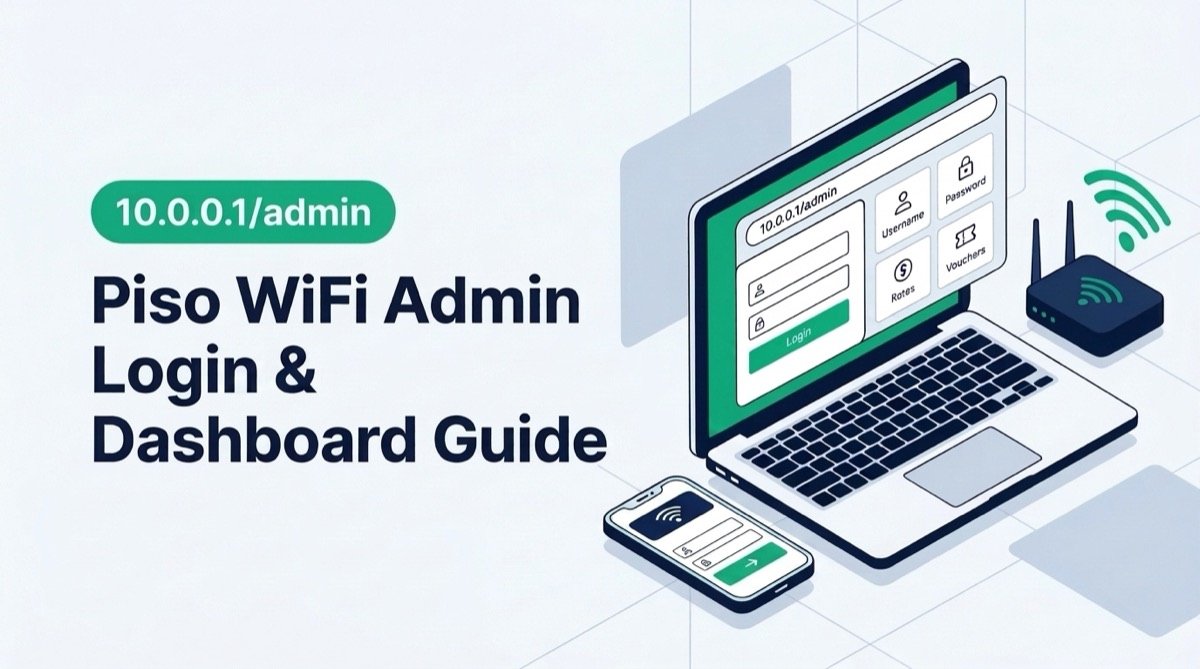
If you run a Piso WiFi vendo box in a sari-sari store, boarding house, or neighborhood corner, 10.0.0.1/admin is where you control everything that keeps your machine profitable: coin rates, upload/download speed limits, pause-time limits, voucher codes, and daily sales logs. Customers use http://10.0.0.1 to insert coins; owners add /admin at the end to manage the backend.
Default 10.0.0.1/admin Credentials by Piso WiFi Software
Different vendo boards and firmware builds ship with different default admin URLs and logins. Check the sticker inside your vendo box or match your software below:
| Piso WiFi System | Admin Dashboard URL | Default Username | Default Password |
|---|---|---|---|
LPB Piso WiFi (often typed lbp 10.0.0.1/admin) | http://10.0.0.1/admin | admin | 123456789 or admin |
| AdoPiSoft (Ado Piso WiFi) | http://10.0.0.1/admin | admin | admin or password |
| JuanFi (MikroTik + NodeMCU) | http://10.0.0.1/admin or WinBox | admin | Set by builder / blank on fresh MikroTik |
| Alternate Subnet Vendos | http://10.10.10.1/admin or http://20.0.0.1/admin | admin | Builder sticker / 12345678 |
Builder note: If you bought a plug-and-play box from Shopee, Lazada, or a local Facebook assembler, many sellers pre-change the default password to protect your coin box. Always ask your seller for the exact admin password and license key before mounting the box outdoors.
Step-by-Step: How to Log In to 10.0.0.1/admin Safely
- Join your own vendo’s Wi-Fi SSID (or plug in via Ethernet): You cannot open
10.0.0.1/adminover cellular data or from your neighbor’s ISP modem unless remote cloud management is enabled. - Turn OFF Mobile Data & VPN: Both Android and iPhone route local
10.0.0.1requests over cellular data if the hotspot has no internet yet. - Type
http://10.0.0.1/admindirectly in Chrome: Make sure the address starts withhttp://and has no trailing spaces. - Sign in and update your password: Go to System → Account / Security and replace the factory password so tech-savvy teenagers nearby cannot grant themselves free unlimited time.
5 Essential Admin Settings Every Piso WiFi Owner Should Configure
- Coin Rates & Time Duration: Standard Philippine rates are ₱1 = 10–15 minutes, ₱5 = 1–2 hours, and ₱10 = 3–5 hours depending on whether your backhaul is PLDT/Converge fiber or Starlink.
- Per-User Bandwidth Caps: Never leave speed unlimited. Capping each connected phone at 3–5 Mbps download / 2 Mbps upload stops one user downloading a large game patch from lagging Mobile Legends or Zoom calls for everyone else.
- Admin Pause Time Rules: Under Timer / Portal Settings, enable Pause Time and set a sensible expiration window (for example, paused balance expires after 24–72 hours) plus a minimum balance (such as 5 minutes) required to pause.
- Anti-Tethering & MAC Randomization Warning: Turn on TTL / hotspot-sharing limits if supported so one ₱5 coin doesn’t feed five phones through a hotspot repeater.
- Voucher Code Batches: Generate printed ₱10, ₱20, or ₱50 day-pass vouchers directly inside
10.0.0.1/adminfor customers who don’t carry coins or when your Allan coin slot needs cleaning.
Fixing Common 10.0.0.1/admin Login Problems
| Error | Likely Cause | How to Fix It |
|---|---|---|
| Page opens customer portal instead of admin | Missed /admin or browser autofilled 10.0.0.1 | Type http://10.0.0.1/admin in an Incognito tab |
| “Invalid username or password” | Builder set a custom password or Caps Lock is on | Check box sticker, message seller, or use SD card / SSH password reset |
404 Not Found on /admin | Custom admin path or MikroTik-only WinBox setup | Connect via WinBox (JuanFi) or check 10.10.10.1/admin |
| Site can’t be reached | Connected to ISP router instead of vendo AP, or Mobile Data is ON | Connect directly to vendo Wi-Fi, turn off Mobile Data & Private DNS |
Frequently Asked Questions
Can regular customers log in to 10.0.0.1/admin to pause time?
No. 10.0.0.1/admin is strictly for the machine owner. Customers should open http://10.0.0.1 (without /admin) to insert coins, check remaining balance, or tap Pause Time.
Why does lbp 10.0.0.1/admin show up in searches?
lbp 10.0.0.1/admin is just a frequent typo for LPB Piso WiFi. The real local address is always http://10.0.0.1/admin—never type “lbp” inside the browser address bar.
How do I reset a forgotten LPB or AdoPiSoft admin password?
On Orange Pi or Raspberry Pi boards (LPB / AdoPiSoft), you can reset the admin password through the official cloud dashboard if linked, or by re-flashing the firmware image onto the microSD card and restoring your backed-up license key.