Starlink Piso WiFi has transformed community broadband across remote provinces, island barangays, and rural farming communities in the Philippines. By pairing SpaceX’s high-speed, low-latency satellite internet (averaging 150–250 Mbps) with coin-operated Piso WiFi vending machines, local entrepreneurs can provide fiber-grade connectivity where telco fiber cables do not reach.
⚡ Instant Starlink Portal Access
Connected to a Starlink-backed Piso WiFi vendo? Access the portal directly:
Required Hardware for Starlink Piso WiFi
To connect Starlink to a Piso WiFi machine, you need four key hardware components:
- Starlink Standard Kit (Gen 2 Actuated or Gen 3 Standard): Starlink dish with clear sky visibility and active Philippine Roam or Residential subscription.
- Starlink Ethernet Adapter (Gen 2): Gen 2 routers require the official Ethernet adapter to provide an RJ45 WAN port (Gen 3 routers have built-in LAN ports).
- Piso WiFi Controller Board: Orange Pi One/PC, Raspberry Pi 4, or MikroTik hEX (RB750Gr3) loaded with LPB, AdoSoft, or JuanFi firmware.
- High-Power Outdoor Access Point: Comfast EW71/EW73, TP-Link EAP110/EAP225 Outdoor, or Ruijie Reyee to broadcast Wi-Fi 100 to 200 meters.
How to Connect Starlink to Piso WiFi (Step-by-Step)
- Enable Bypass Mode on Starlink: In the Starlink mobile app, go to Settings → Advanced → Bypass Mode. This disables the built-in Starlink Wi-Fi and lets your Piso WiFi router board manage all DHCP IP assignments.
- Connect WAN Cable: Plug the Ethernet cable from the Starlink Ethernet adapter into the WAN port of your Piso WiFi board.
- Configure Gateway IP: The Piso WiFi controller will automatically establish
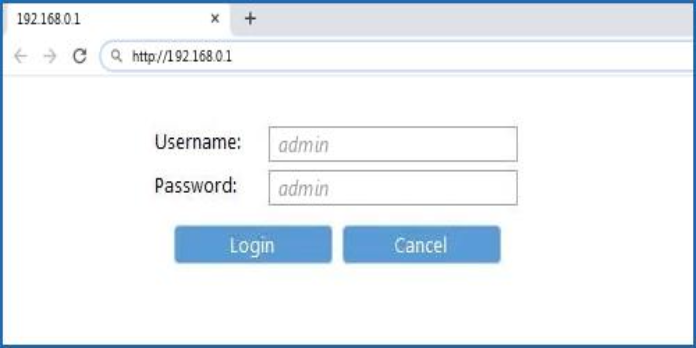
10.0.0.1(or10.10.10.1) as the local subnet, completely separated from Starlink’s internal192.168.100.1management network. - Bandwidth Limiting (Queue Rules): Because Starlink delivers 100–220 Mbps download, configure each connected user to a limit of 5 to 10 Mbps. This prevents a single user from hogging bandwidth during downloads or streaming.
Recommended Starlink Piso WiFi Coin Rates (2026–2027)
Because satellite internet carries higher monthly costs than urban fiber, vendo owners in rural areas adjust their rates slightly higher while delivering unmatched speed:
| Coin Value (PHP) | Duration Allocated | Speed Cap Per User | Pause Time Support |
|---|---|---|---|
| ₱5 Coin | 30 Minutes | 5 Mbps Download / 2 Mbps Upload | 1 Pause Allowed |
| ₱10 Coin | 1 Hour 15 Minutes | 8 Mbps Download / 3 Mbps Upload | 2 Pauses Allowed |
| ₱20 Coin / Voucher | 3 Hours | 12 Mbps Download / 5 Mbps Upload | Unlimited Pause (24h validity) |
| ₱50 Voucher (Full Day) | 10 Hours Continuous | 15 Mbps Download / 5 Mbps Upload | Unlimited Pause (3-day validity) |
Using Pause Time on Starlink Piso WiFi
Whether connected to fiber or Starlink satellite, customers can freeze their paid minutes anytime by visiting http://10.0.0.1 and tapping “Pause Time”. Read our complete Piso WiFi 10.0.0.1 portal login guide to learn about voucher redemption and randomized MAC settings.